How JavaScript Works - User Interactive
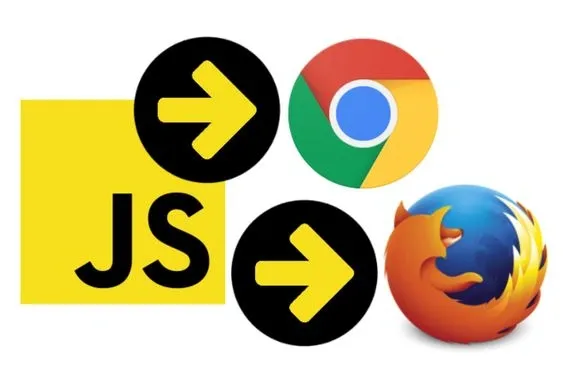
JavaScript is a high-level scripting language that allows you to build dynamic web experiences. The scripting language JavaScript actuates the behavior of content on the web page and works on the server-side it is the backbone of interactivity on modern web pages. This article explores its syntax, semantics, and how to create engaging user interactions.
Introduction
JavaScript is the backbone of interactivity on modern web pages. As a versatile scripting language, it allows developers to create dynamic user interfaces ( UI ) and interactive experiences by controlling HTML elements and actuating webpage behavior. This article will help readers, including those new to JavaScript, understand its syntax, semantics, and practical use for crafting engaging user interactions.
What is JavaScript?
Definition:
 JavaScript (JS) - is a high-level, interpreted programming language that adheres to the ECMAScript specification. It features curly-bracket syntax, dynamic typing, prototype-based object orientation, and first-class functions. ~ Wikipedia
*ECMAScript: ECMAScript is the standardized scripting language defined by ECMA International, forming the foundation of JavaScript.
A Brief History of JavaScript
JavaScript was created in 1995 by Brendan Eich during his tenure at Netscape Communications. At the time, Netscape dominated the browser market, and Eich developed JavaScript as a client-side scripting language inspired by Java, Scheme, and Self. Today, JavaScript is integral to interactive web design and functions across multiple browsers.
* Brendan Eich (/ˈaɪk/; born July 4, 1961) is an American technologist and creator of the JavaScript programming language. ~ Wikipedia
Eich created JavaScript as a client-side scripting language that can work across multiple browsers and has become essential for creating interactive web design.
Common Uses of JavaScript
JS is responsible for many of the effects and functions of virtually all web sites on the internet today. Some usage of JavaScript include:
Understanding JavaScript Syntax
As a client-side scripting language lessen the load on servers by having the web browser process the source code. Which means JavaScript functions can run after a web page is loaded into the browser window without having to communicate with the server. JS is used to improve user experience ( UI ) on web sites.
JavaScript Variables ( Variable Values ):
Variables are containers for storing values. They are declared using keywords like var , let, or const .
- var x, y, z; // Declare variables
- x = 5; y = 6; // Assign values
- z = x + y; // Compute values
JavaScript Literals ( Fixed Values ):
Numbers are written with or without decimals ( e.g. 1.50 or 1 001) and strings are text written in signal or double { } brackets ( e.g. { "Hello World" } or {{ "Hello World" }} ).
Literals:
Fixed values, such as numbers or strings.
- let num = 42; // Number
- let text = "Hello World"; // String
JavaScript Operators:
Arithmetic operators ( +, *, / ) are used to compute variable values and the = operator assigns values to var in JavaScript.
Used to perform operations on variables.
- let total = x + y; // Arithmetic operator
- x += 5; // Assignment operator
JavaScript Expressions:
An expression is a statement of combined values, variables and operators it computes a numeric value which is called an evaluation.
An expression combines variables, literals, and operators to compute a value.
- let fullName = "Jean" + " " + "Gray"; // Evaluates to "Jean Gray"
JavaScript Comments:
Not all JavaScript statements are \"executed\". Code after double slash // or between /* and*/ are treated as comments by the browser and ignored - the browser will not execute.
Comments help document code and are ignored by the browser.
- // Single-line comment
- /* Multi-line comment */
JavaScript Identifiers:
In short, identifiers are names. JavaScript identifiers are used to name variables ( e.g. keywords, functions, labels ). The first character of an identifier must be a letter or underscore ( _ ) or dollar sign ( $ ). With subsequent character being letters, numbers, underscore and dollar sign. For JavaScript to distinguish a number from an identifier, numbers are not allowed as the first character and will result in a syntax error.
Identifiers are case sensitive. For example the variables LastName and lastname are two different variables also JavaScript only interpret var as a keyword, not VAR or Var.
Identifiers are names used for variables, functions, or labels. Rules:
- Must begin with a letter, underscore ( _ ), or dollar sign ( $ ).
- Case-sensitive (e.g., lastName is different from lastname).
- Multi-word identifiers typically use camelCase.
Example:
- let firstName = "John";
- let lastName = "Doe";
JavaScript Character Set:
JavaScript uses the Unicode character set, enabling it to handle a vast array of characters and symbols across different languages. This ensures compatibility across platforms and technologies like HTML, XML, and various programming languages.
Conclusion
JavaScript is an essential tool for web developers, empowering them to create engaging, interactive experiences. Its syntax and functionality are designed to be both accessible for beginners and powerful for advanced users. By mastering JavaScript, developers can elevate the functionality and responsiveness of their web applications.